We were developing code that was using an API from another app to pull in information from their website, into our application. Issue is, we wanted the end user who would be using our application to use their own account to authenticate with the third party’s platform.
A practical example of this is if you go to your favorite fitness app (this would be us), and instead of entering your email and password. You hit “Login with Google” my fitness app sends you to Google with a specific website url that Google will open once you confirm to use your google account, along with all the user data.
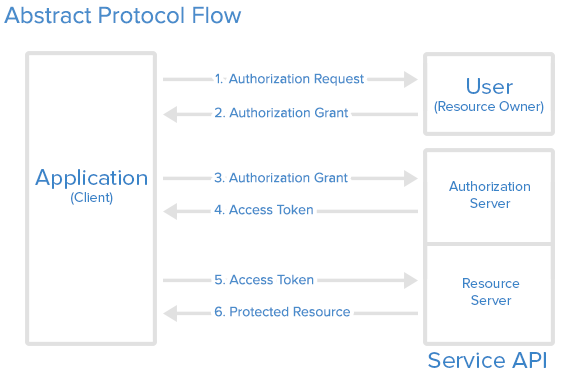
Where the practical issue came in, is with Google – they require you to be on their whitelist for a URL, which they call an “Authorized Redirect URL”.
We could allow our domain: apps.ourdomain.com/integrations/google on the whitelist. However we have multiple deployments of our app, for developer testing, and production servers. When a user lands on our apps.ourdomain.com/integrations/google domain, how do we know which deployment requested the user?
One solution is just adding multiple domains onto the whitelist, dev.ourdomain.com/integrations/google for example for the developer instance, and keeping apps.ourdomain.com... for our production instance. That wouldn’t work for our integrations however as we have more than one multiple developer instance and many production deployments.
A Solution
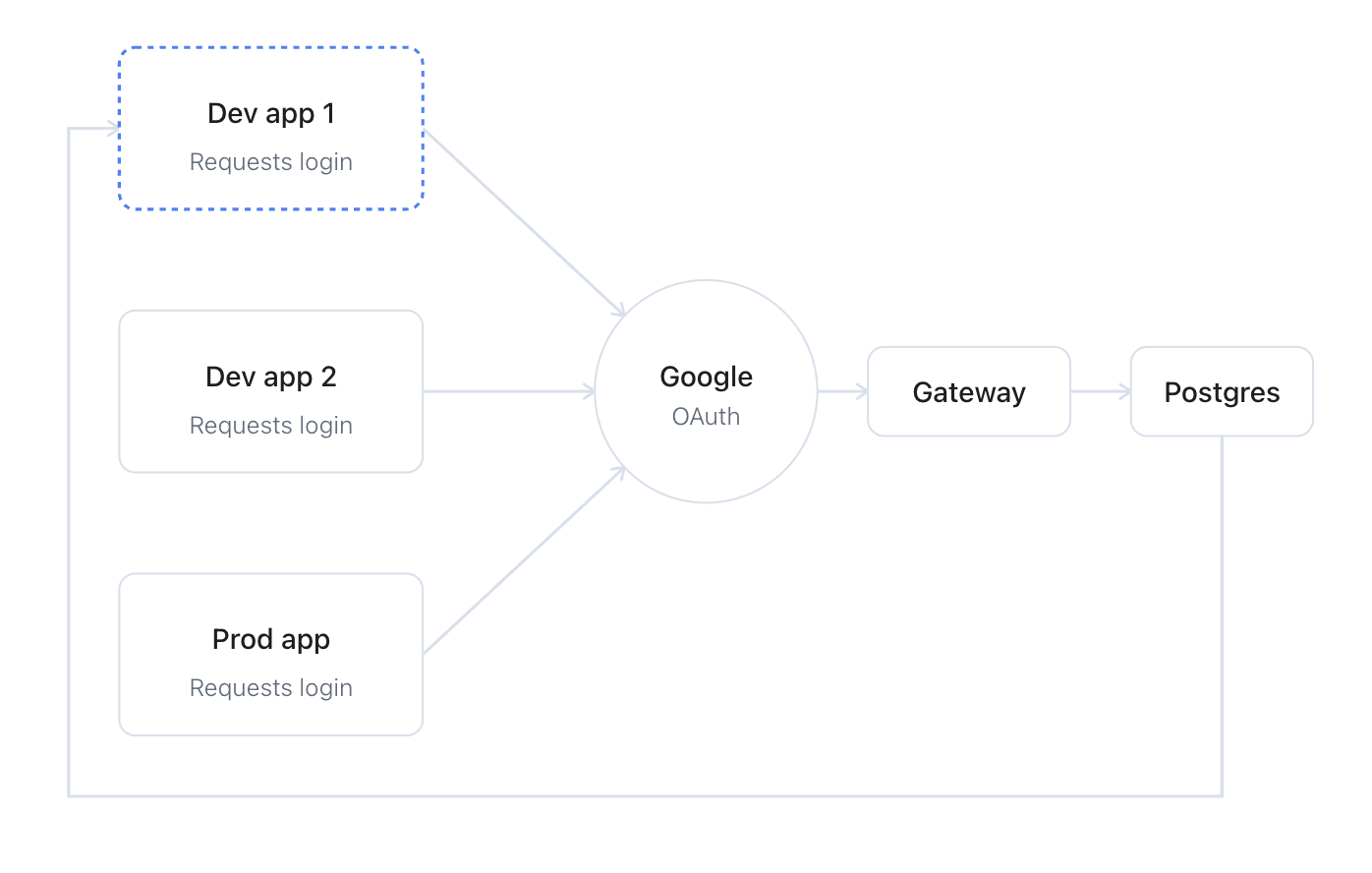
The eventual plan was laid out pretty simply, with the help of Claude for the services to use. For handling the API requests it’d be a Hono service. Hosted in Railway. And the backend being a postgres container. No frontend UI, no external dependancies – as light as possible.
How it works is a single server (our Gateway), has our domain apps.ourdomain.com – gateway then exposes an endpoint at /integrations/google.
When our source app wants to use Google’s OAuth, all it requires is that the app gives Google an Authorized Redirect Url that looks like:
apps.ourdomain.com/integrations/google?state=d885dd4f-df96-44cb-9787-f40af8a153d2*bmV2ZXJnb25uYWdpdmV5b3V1cA==
You may notice that domain looks different – that’s because it is! There’s a bunch of “extra characters”, those are specified in the query param field. Google won’t tell the difference between that url and our first one.
What’s in the payload is what actually tells our Gateway which app originally started the authentication request. That first string behind the asterisk “d885dd4f-df96-44cb-9787-f40af8a153d2” – is the unique app ID.
The gateway service has a Postgres table attached to it, Gateway performs a search for that ID on, once it’s matched anything beyond that asterisk is sent along with the user to the app’s URL.
Which app is asking Google to log a user in:
For example
apps.ourdomain.com/integrations/google?state=d885dd4f-df96-44cb-9787-f40af8a153d2*bmV2ZXJnb25uYWdpdmV5b3V1cA==
Becomes:
my-internal-app.railway.app/integrations/google?state=bmV2ZXJnb25uYWdpdmV5b3V1cA==
Every app gets its requested callback. Onboarding a new deployment is now a single database row in the Gateway, instead of a new Authorized Redirect URI to register with Google for every dev and prod instance.
Leave a Reply