Being platform-ambiguous – using an Android phone, a MacOS Macbook, and a Linux-based laptop for work. I often struggle to find a good solution for many of the services Apple or Android offer within their respective closed ecosystems. One such service is location tracking.
Apple provides “Find My” as a service for all its wireless products, from Airpods to Macs. Android has a similar competitor in “Find Hub” (formerly “Find my Device”), but neither option is ideal, since I have only a single device from both companies. iCloud has its own issues, with almost no support for non-Apple devices, and Android’s “Find Hub” is only useful if I completely lose my phone and need to remote wipe the data on it.
Alernatives
I knew of a couple of services beyond the native ones that Apple or Google might provide. One option is, according to their site, the “family location safety app” – It’s the dreaded app by teens who love following speed laws: Life360.
Life360 has been around for a while and supports a variety of different platforms; my family even used it for a while. While it’s not designed for a single user to track their personal belongings, it has been catering to that use case with the acquisition of Tile, the physical tracker company, in 2021. Allowing users to add their Tile device to their Life360 account to see it alongside other family members, and or share the location of that item with another member.
However, it is not my choice for two primary reasons: Life360’s board of directors is influenced by Zuckerberg (Randi Zuckerberg, sister of Meta’s man in charge), and I enjoy the pain of learning a new technology over simplicity.

Solution
Now that I had narrowed down what I didn’t want: cloud-hosted or “free with strings attached™️” location tracking. I started searching for an open-source solution. And I eventually found a service called OwnTracks. OwnTracks is an open-source project built around simple, but private location tracking. Or in their own words:
I chose OwnTracks primarily for its support on iOS and Android. And the ability to manage my own data was a huge decision factor.
However, since it’s a self-hosted program, there’s a cost. You’ll need to pay the hosting fees, the hours spent fixing or setting up the service, and any other headaches that come with self-hosting.
You can host on any computer you’d like – whether that be your old laptop at home or a personal server, it works on most Debian (Linux) based computers. But because I didn’t have time to spend and, partly, because it looked easier, I decided to use a DigitalOcean droplet for this service. They charge a small fee for your own slice of a remote computer to host whatever you’d like. At the end of the month, my hosting and having two connected devices cost me about $8.00 USD.
Once you’ve set up the devices with OwnTracks, you can subscribe to its MQTT stream to utilize the live location pings for any purpose you’d like. One common use case is with Home Assistant (home automation software) for location-based automations, such as setting the thermostat when you approach your home or shutting off the lights when you leave.

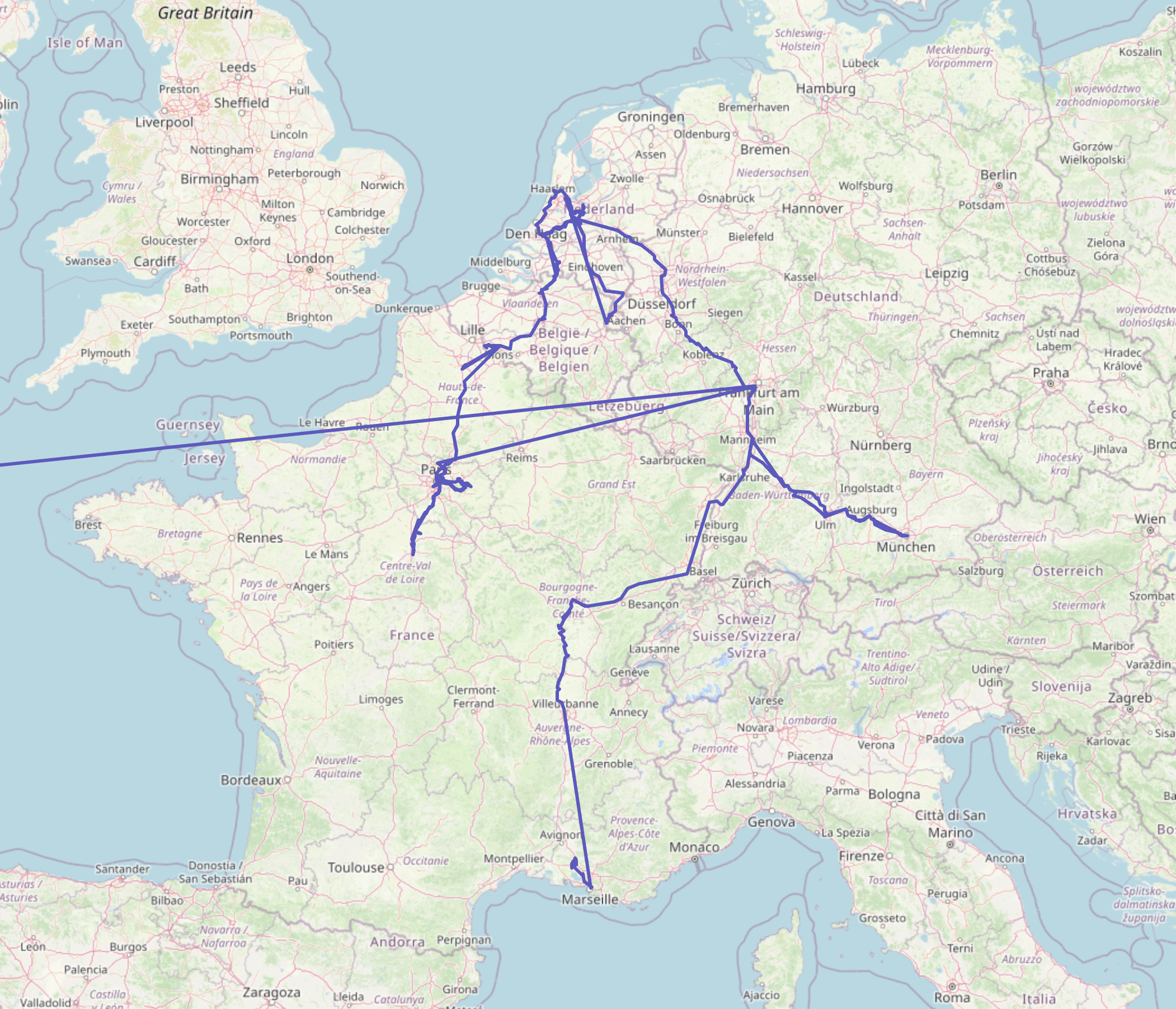
I had the opportunity to stress-test the software’s ability to track my devices while I was abroad visiting family in Europe. During that stay, I learned a couple of disadvantages or bugs that occurred during my daily use.
- Minor differences between the Android and Apple client applications – in the App Store version of Owntracks, when you click a user, it shows the previous location pings as a line path, which the Android version does not allow you to view.*
- Losing a connection or encountering an error often causes the Android app to freeze or to stop showing live data. Often, the fix was to force-quit and restart the app. Which had occurred more often as I had temporarily dropped my connection while switching mobile carriers between countries.
*The website viewer allows you to visualize all data points into a cohesive map, which was used for the featured image on this post.

Leave a Reply